See the Platform — What Your Customers See, and What You Control
Explore the upgraded customer and back-office screens captured from the Remitz demo on 27 October 2026. These illustrate the platform; your branding, modules, provider methods and workflow scope are agreed during implementation.
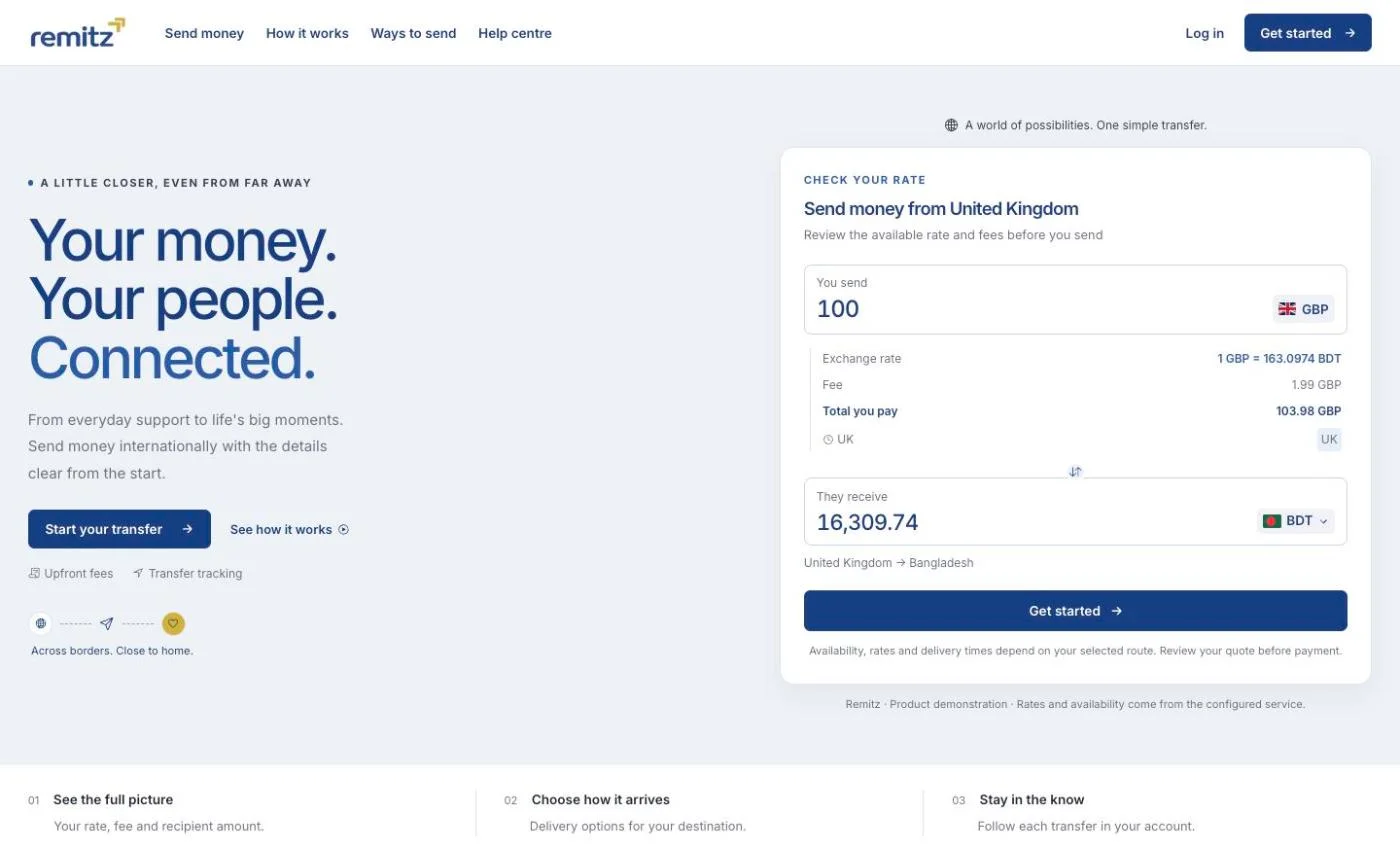
Your website, your rates
This example shows the redesigned customer website and a UK-to-Bangladesh rate calculator. The pictured rates are a point-in-time screenshot, not live quotes. Your domain and branding are configured to the agreed scope.
Demo interface, not a Remitz money-transfer service. Regulatory labels, promotional offers and delivery times pictured below do not establish Remitz approval or service commitments. Remitz supplies technology; operators retain their regulatory and provider responsibilities.
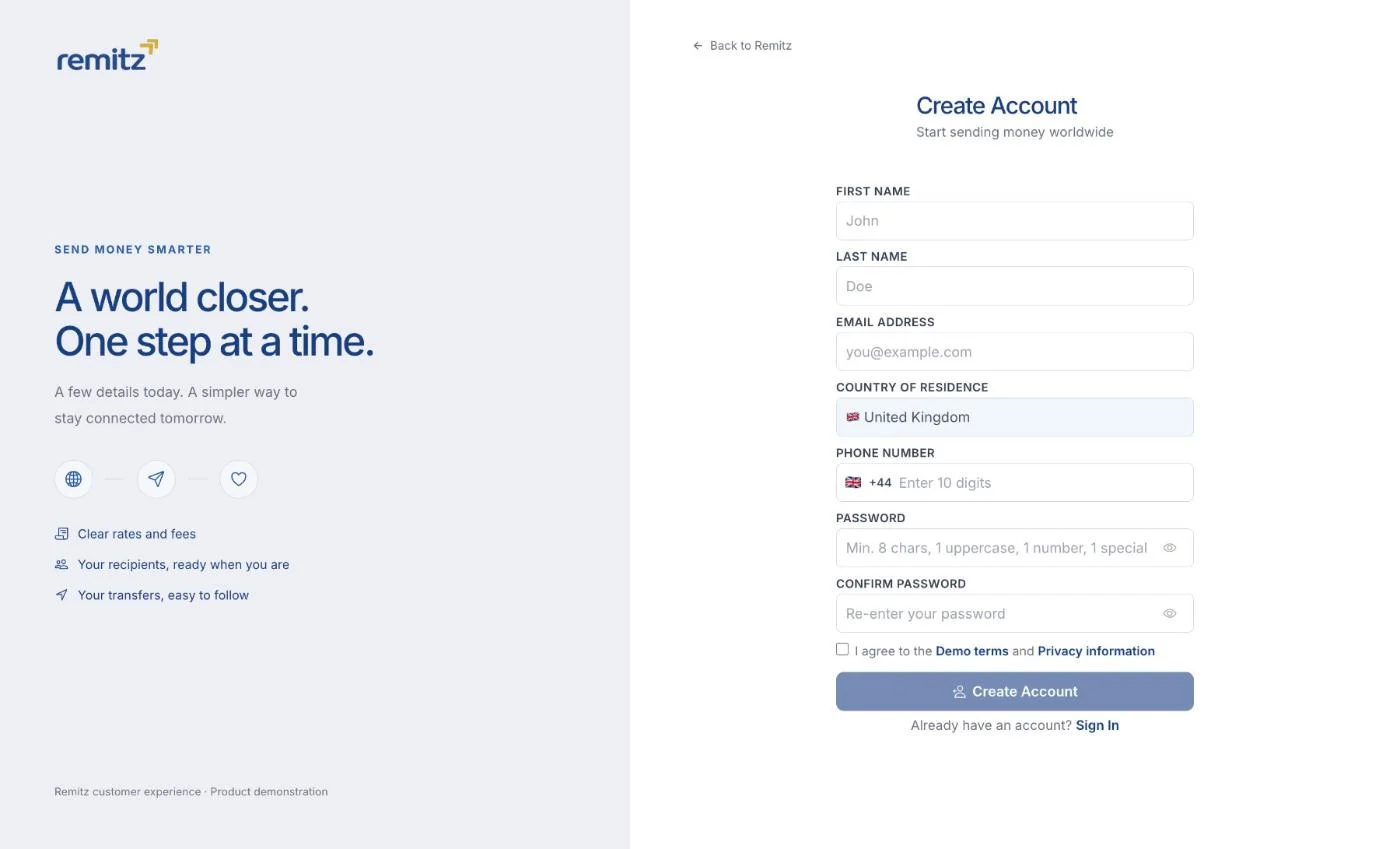
They create an account
This registration form shows contact details, country of residence and password fields. Identity verification and document capture are separate workflows to review with your KYC provider and compliance team; they are not demonstrated in this image.
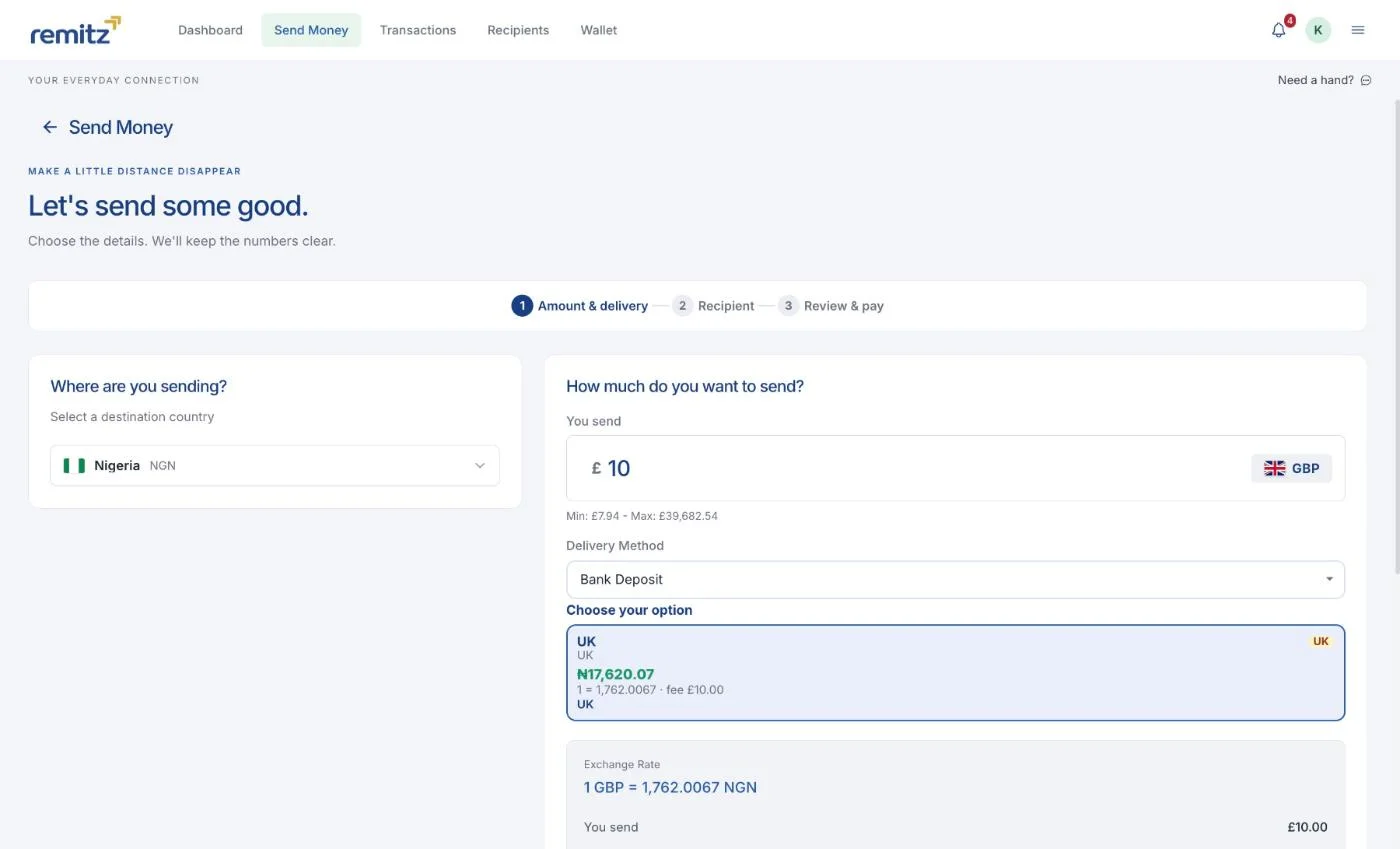
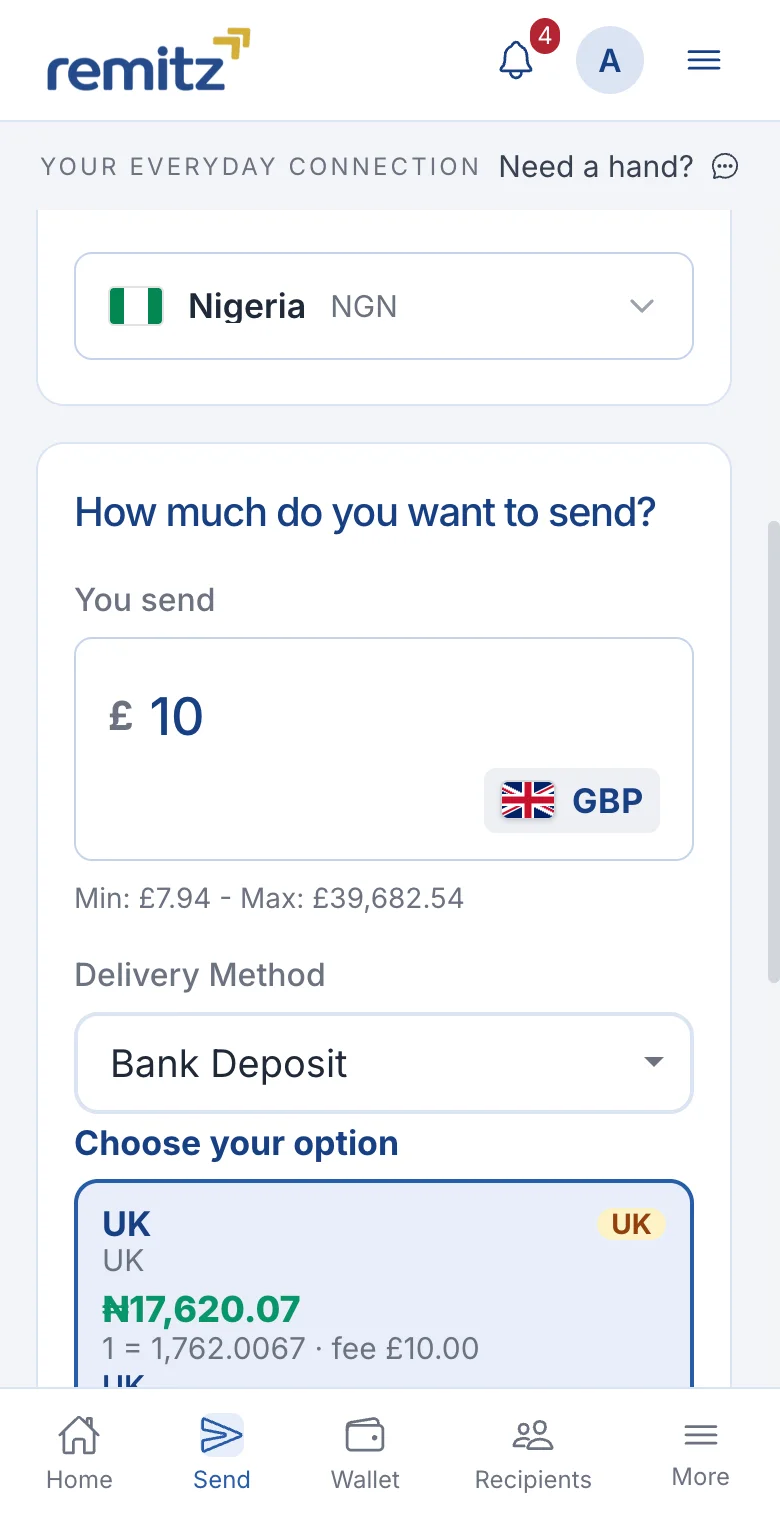
They choose where the money goes
The example shows a corridor, amount, rate and recipient value. Confirm quote validity, fees and delivery methods for your implementation. A new provider or service may require development.
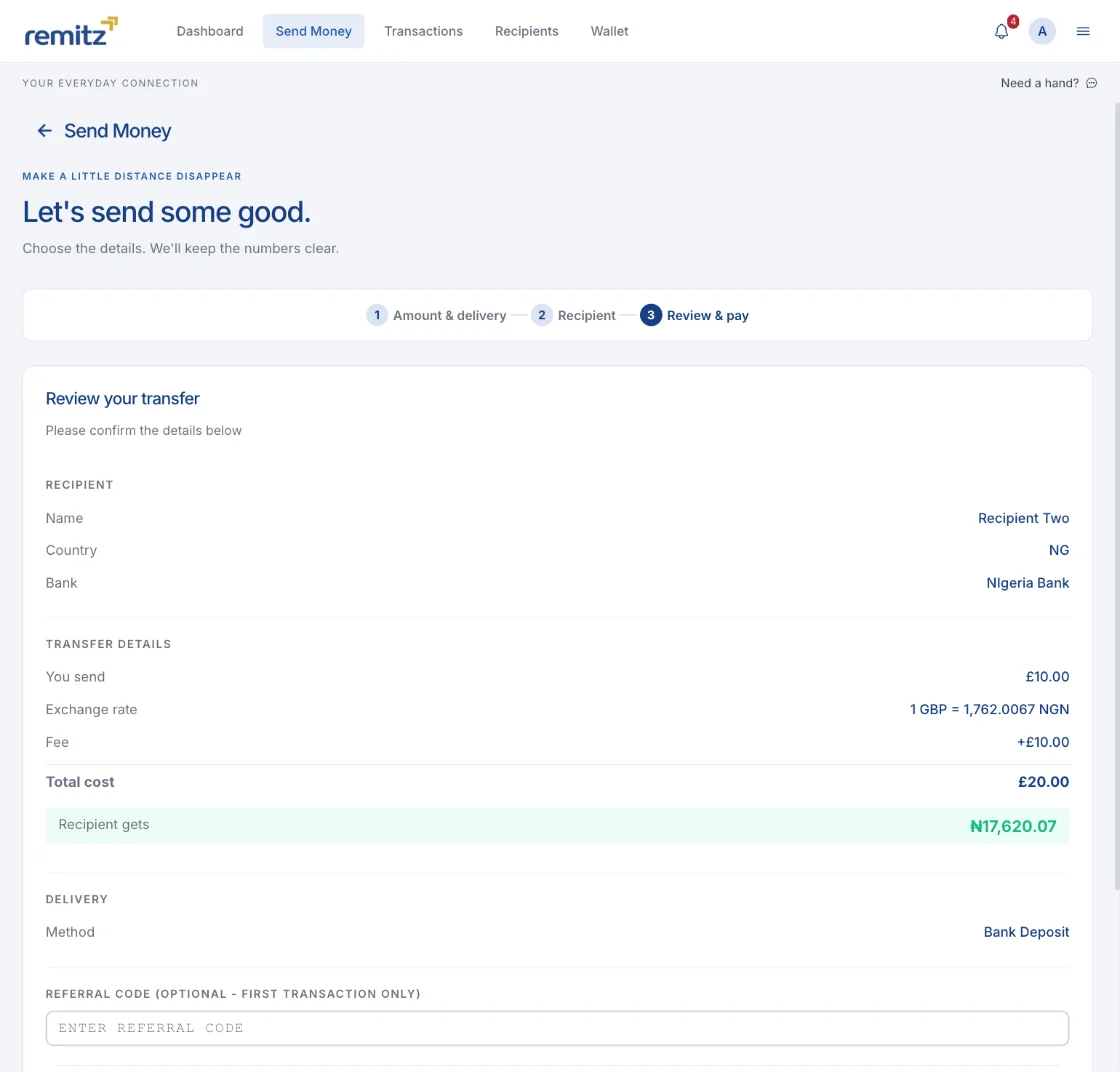
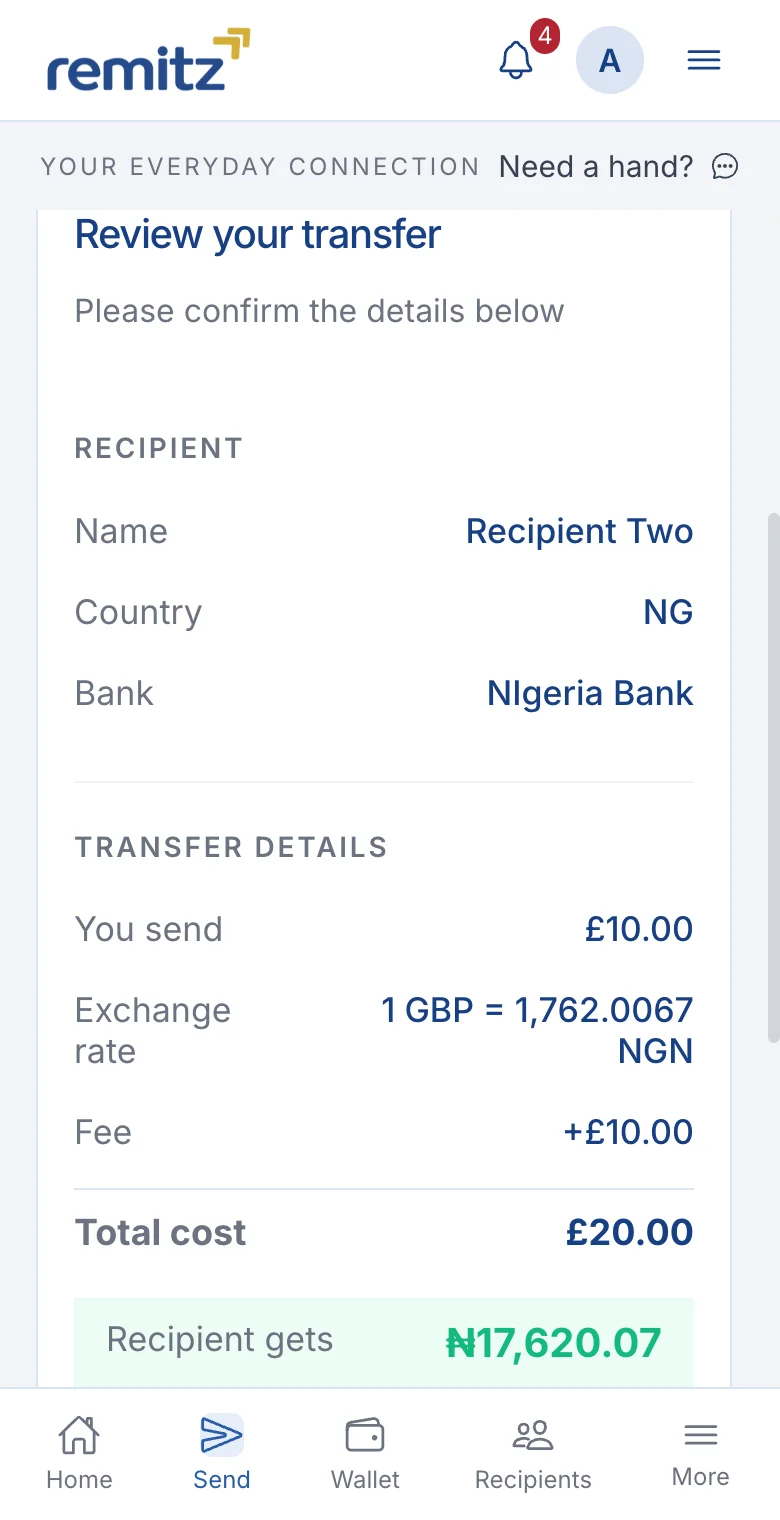
They review and pay
The review shows recipient details, rates, fees and amounts before submitting a transfer request. Payment collection depends on your configured services. Remitz does not hold the funds.
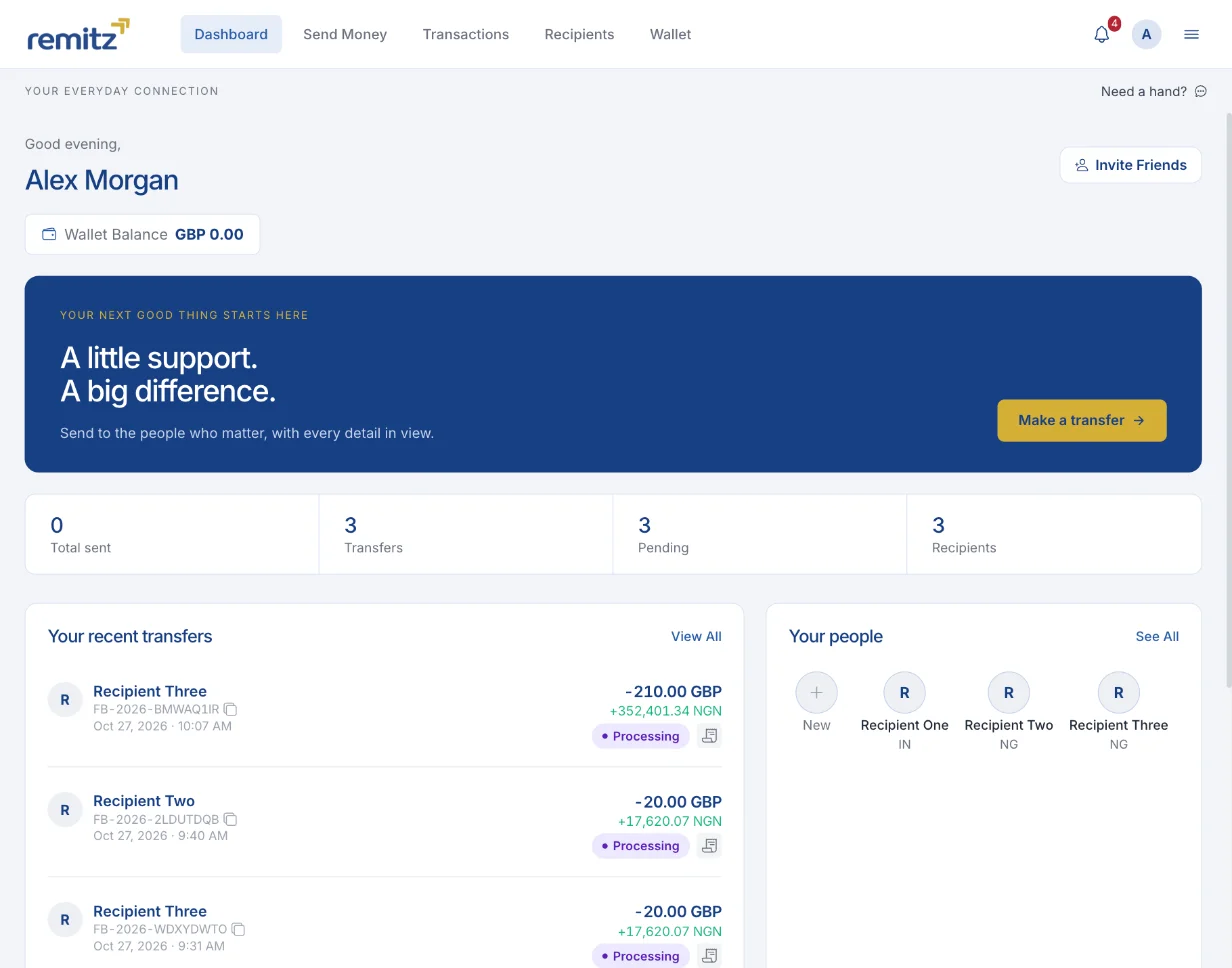
Their customer dashboard
This local demo shows sample transfers marked Processing, saved recipients, summary counters and a wallet-balance field. These are demo records, not completed-transfer history or evidence of customer results. Review status updates in a working demo. Wallet and other modules depend on your plan and agreed scope; Remitz does not supply financial accounts.
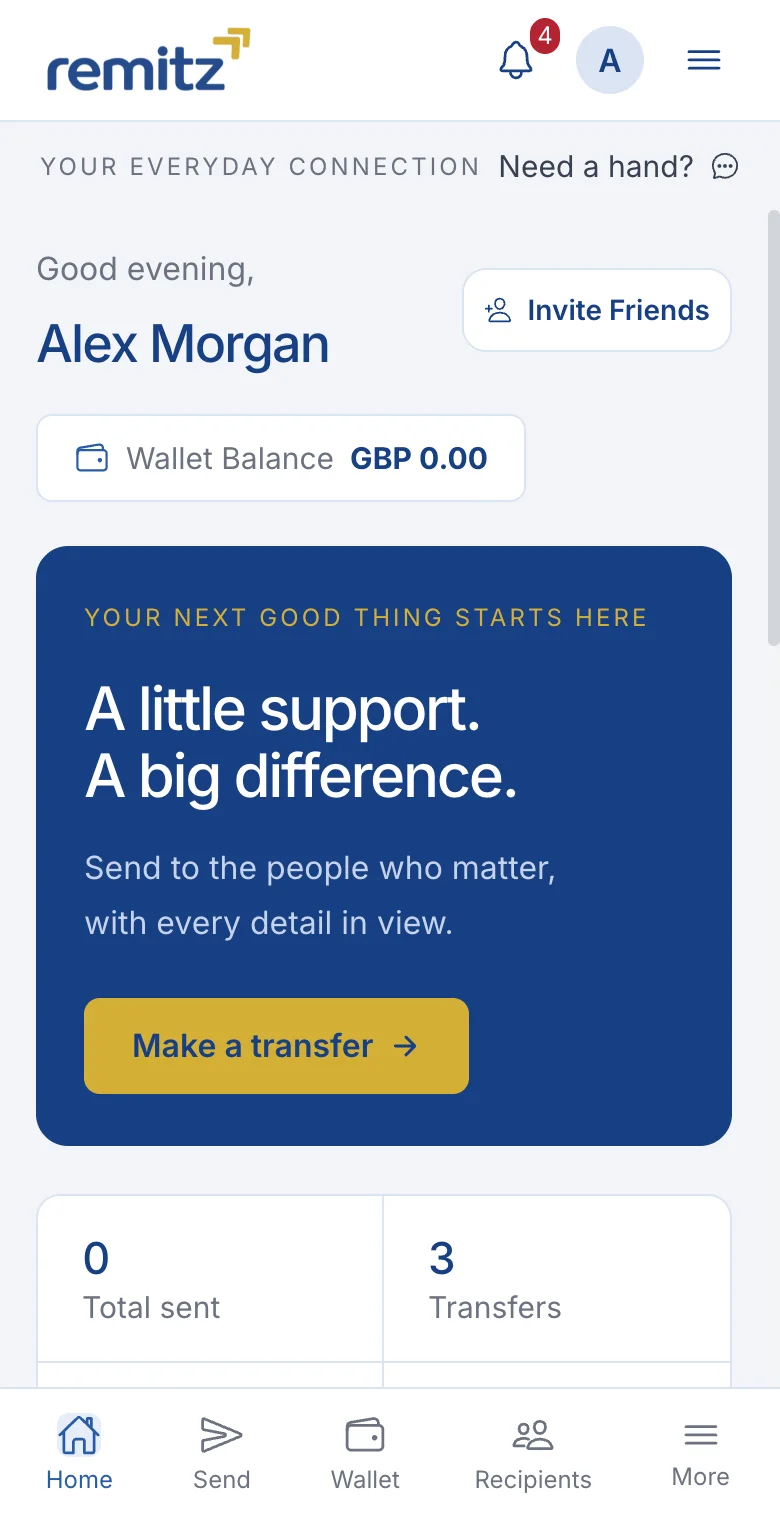
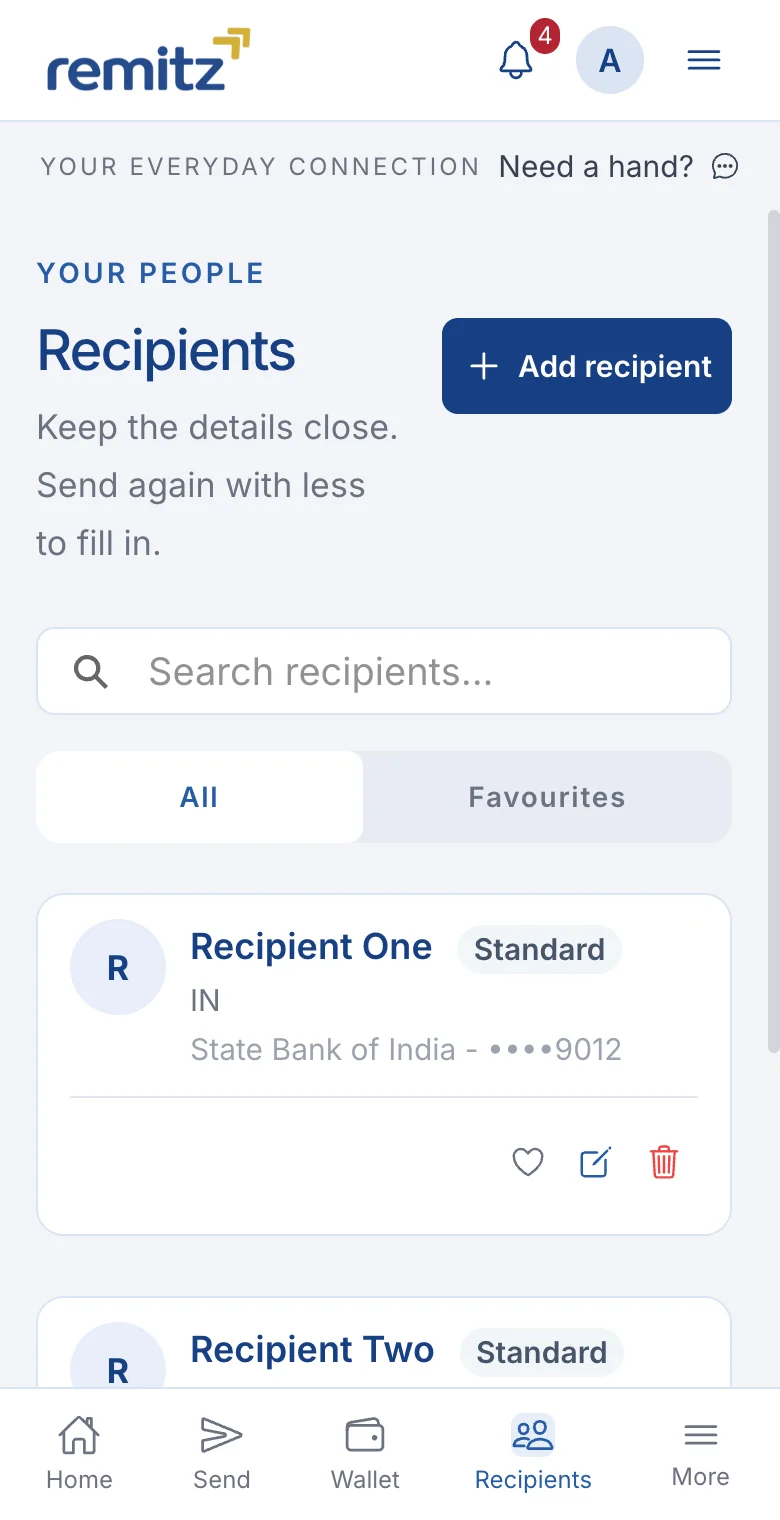
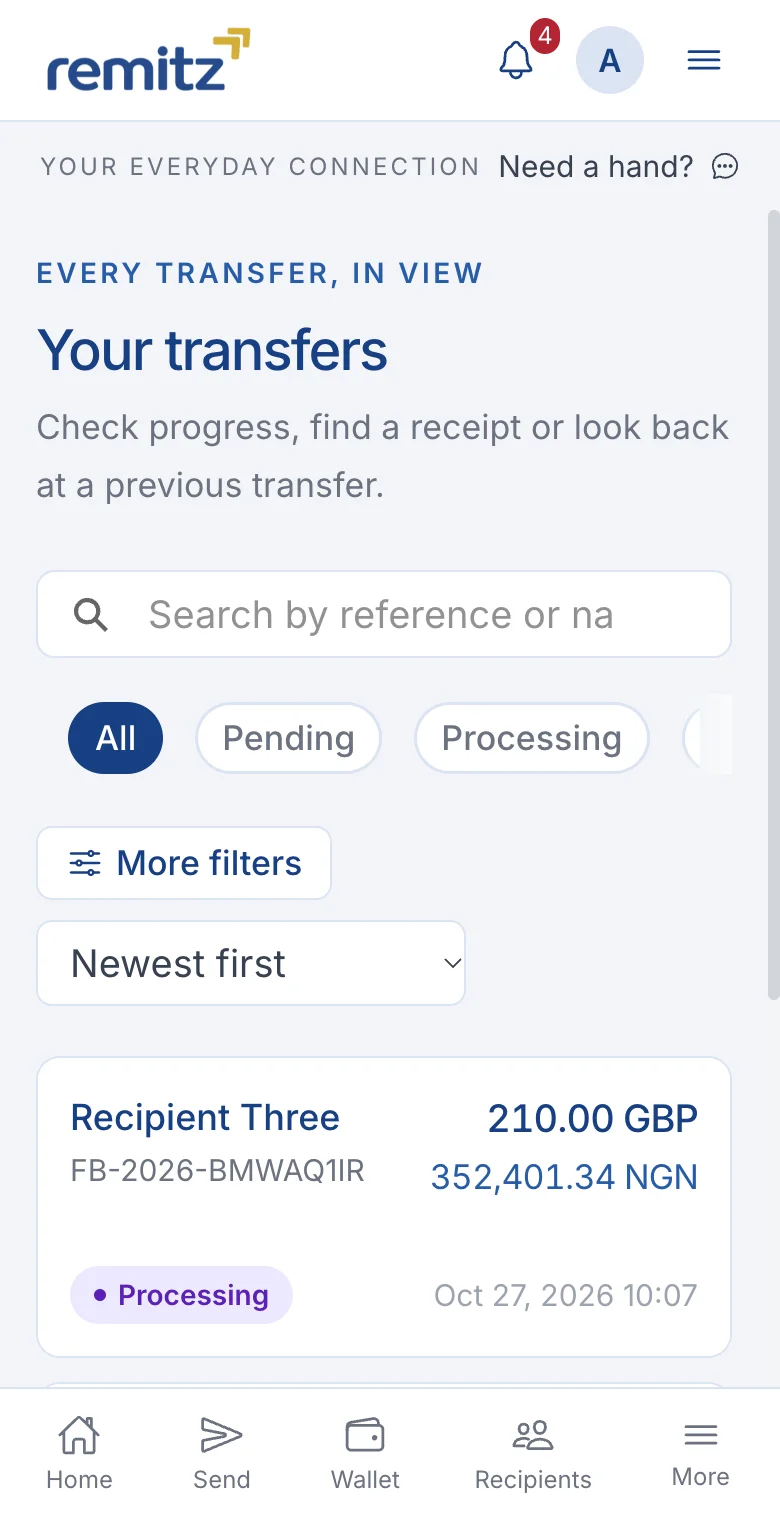
The customer journey on a phone
Mobile browser captures from the Remitz demo, showing sample account and transfer data. Recipient bank details are masked. Native app builds and included features are agreed separately.
Select a screen to open it full size. Swipe to explore on smaller screens.
And this is what your team sees
These back-office examples show operational workflows to review in a demo. Existing configuration and additional development are distinguished during scoping.
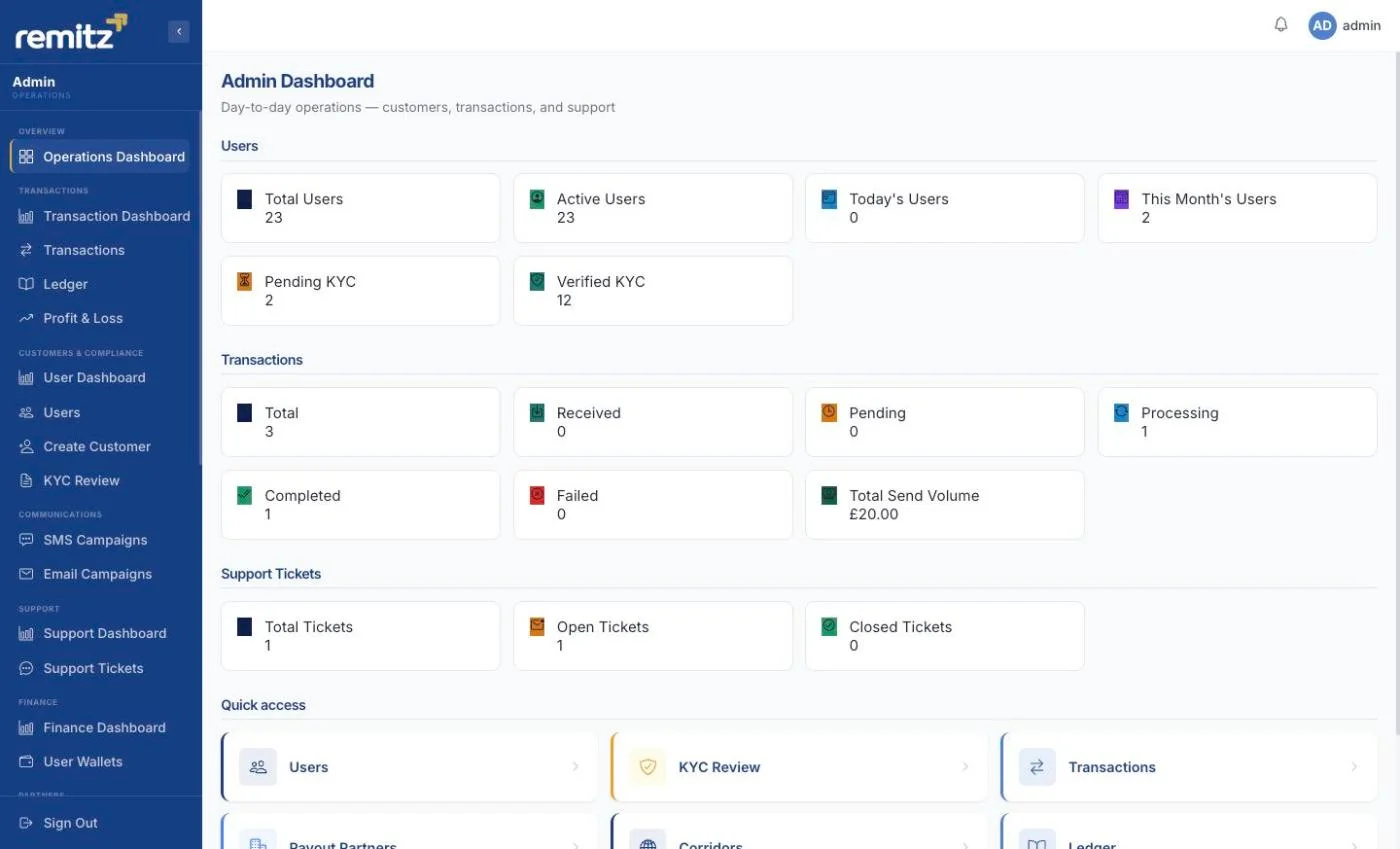
An overview for your operations team
The operations overview shows user and KYC counters, transaction statuses, send volume and support-ticket summaries. Demo counts and status labels are not evidence of live business volumes or service availability. Confirm how each measure is calculated and updated for your deployment.
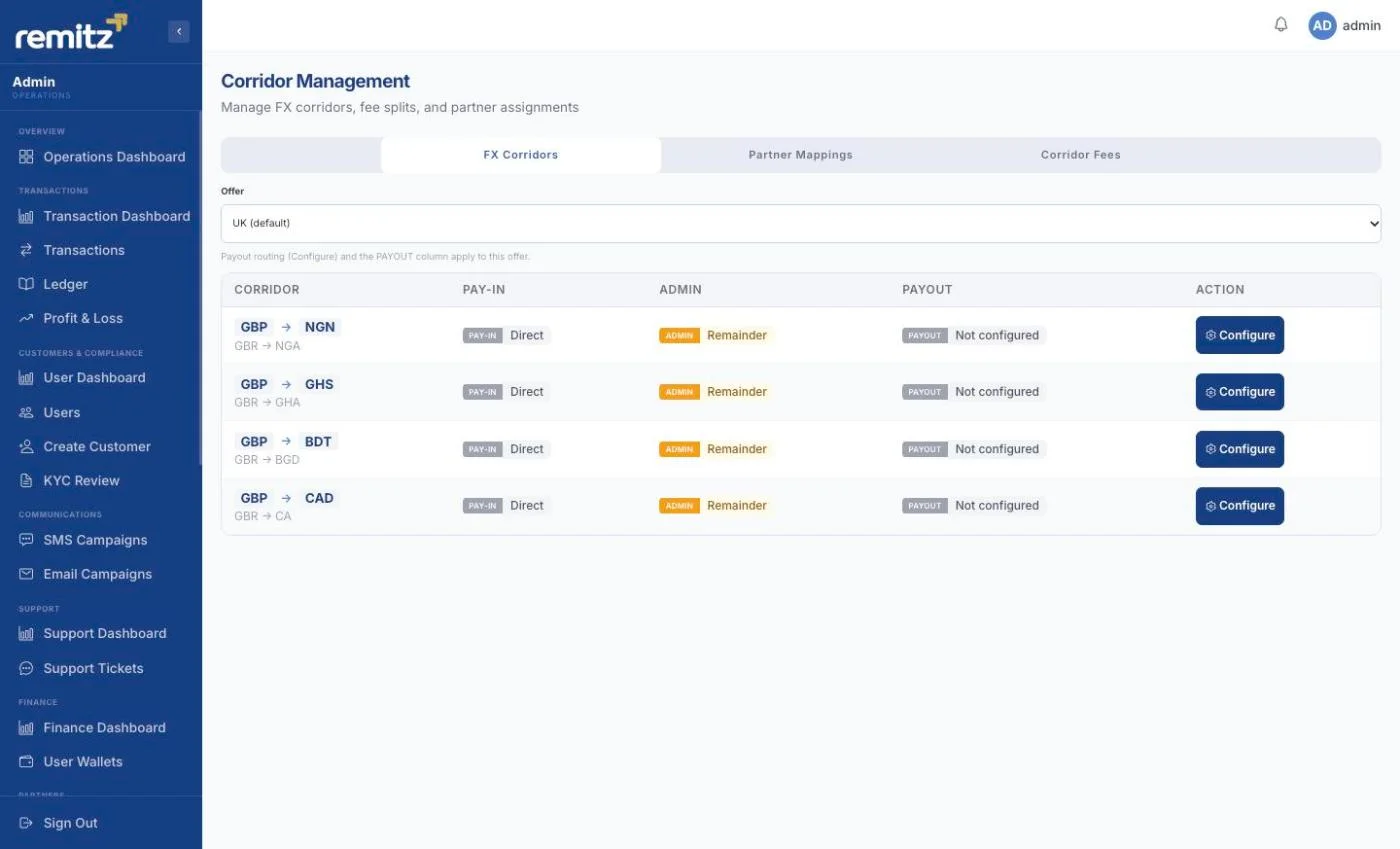
Assign payout partners per corridor
The corridor overview shows pay-in and payout assignments with configuration controls for each corridor. The local demo rows show direct pay-in and payouts that are not configured. This demonstrates the configuration interface, not an active payout connection. Confirm connector compatibility, provider access and testing for your requirements.
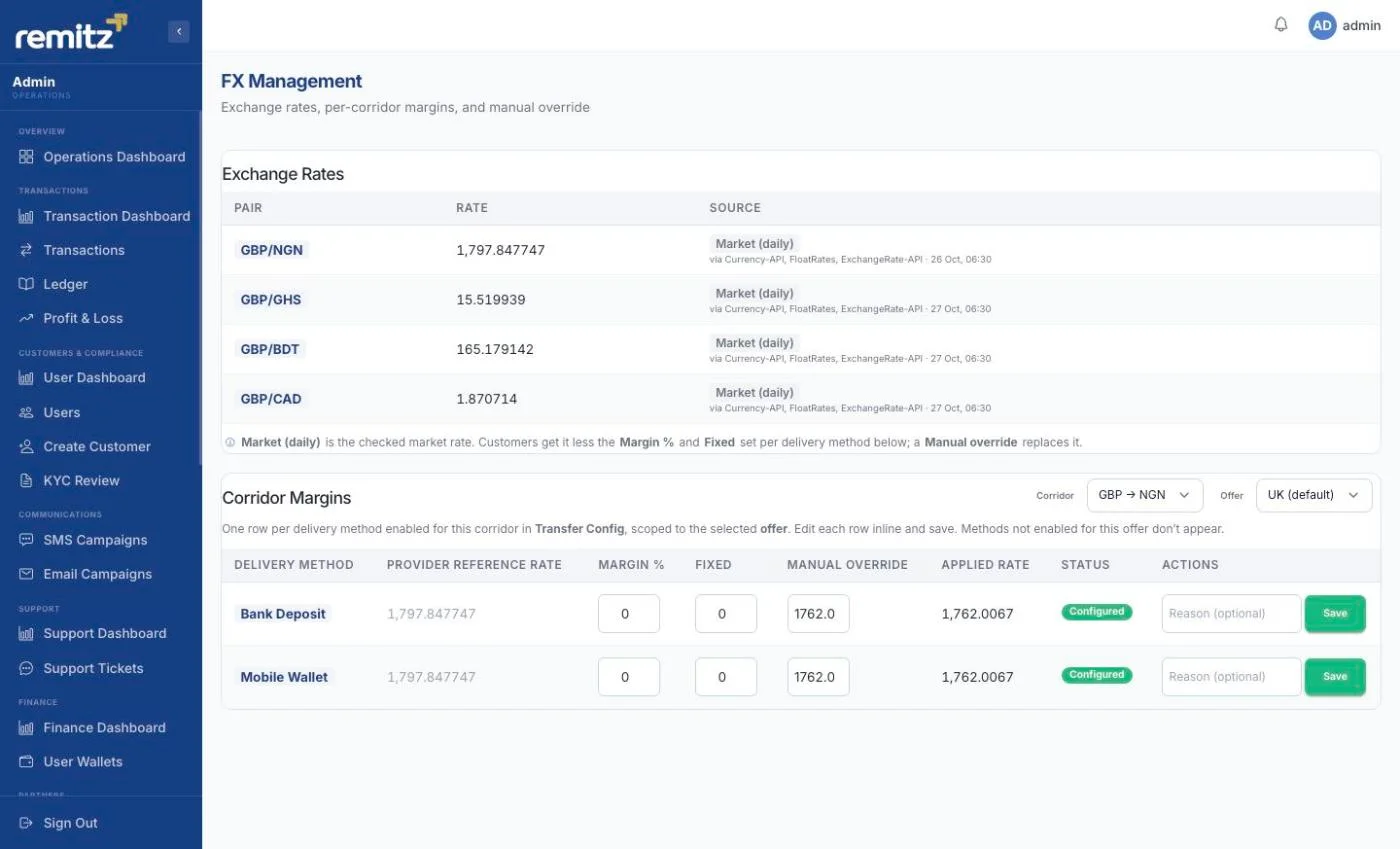
Set your own margin on every corridor
The example shows manual rate sources and corridor-margin controls, including percentage and fixed margins, a manual override and the applied rate. The displayed rates are from a saved screenshot, not current quotes. Review refresh schedules and validate stale-rate and provider-failure behaviour before launch.
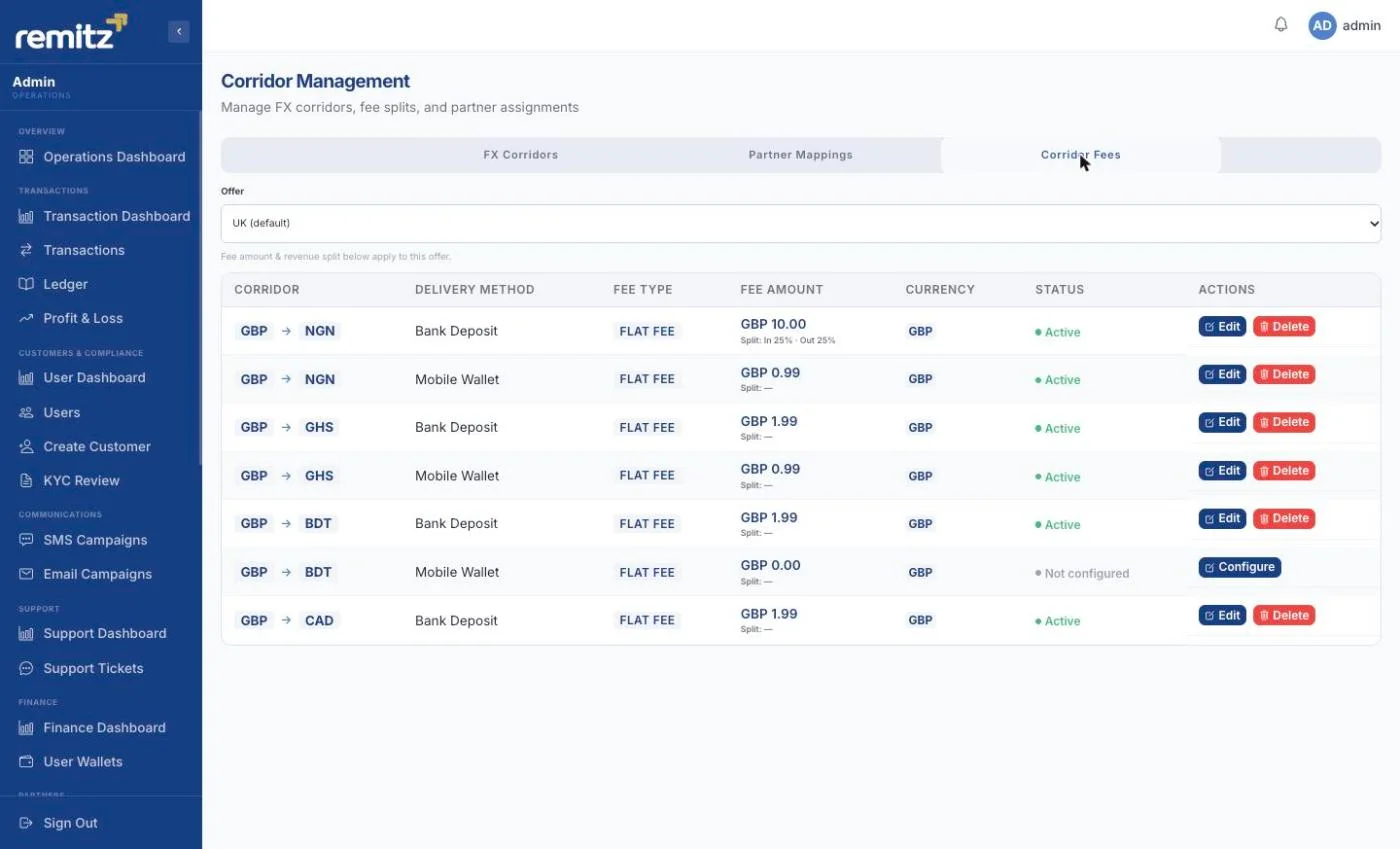
Price each delivery method separately
The fee table shows separate bank-deposit and mobile-wallet rows, with a fee amount, currency and configuration status. Agree fee currencies and calculation rules, then test how changes affect quotes before launch.
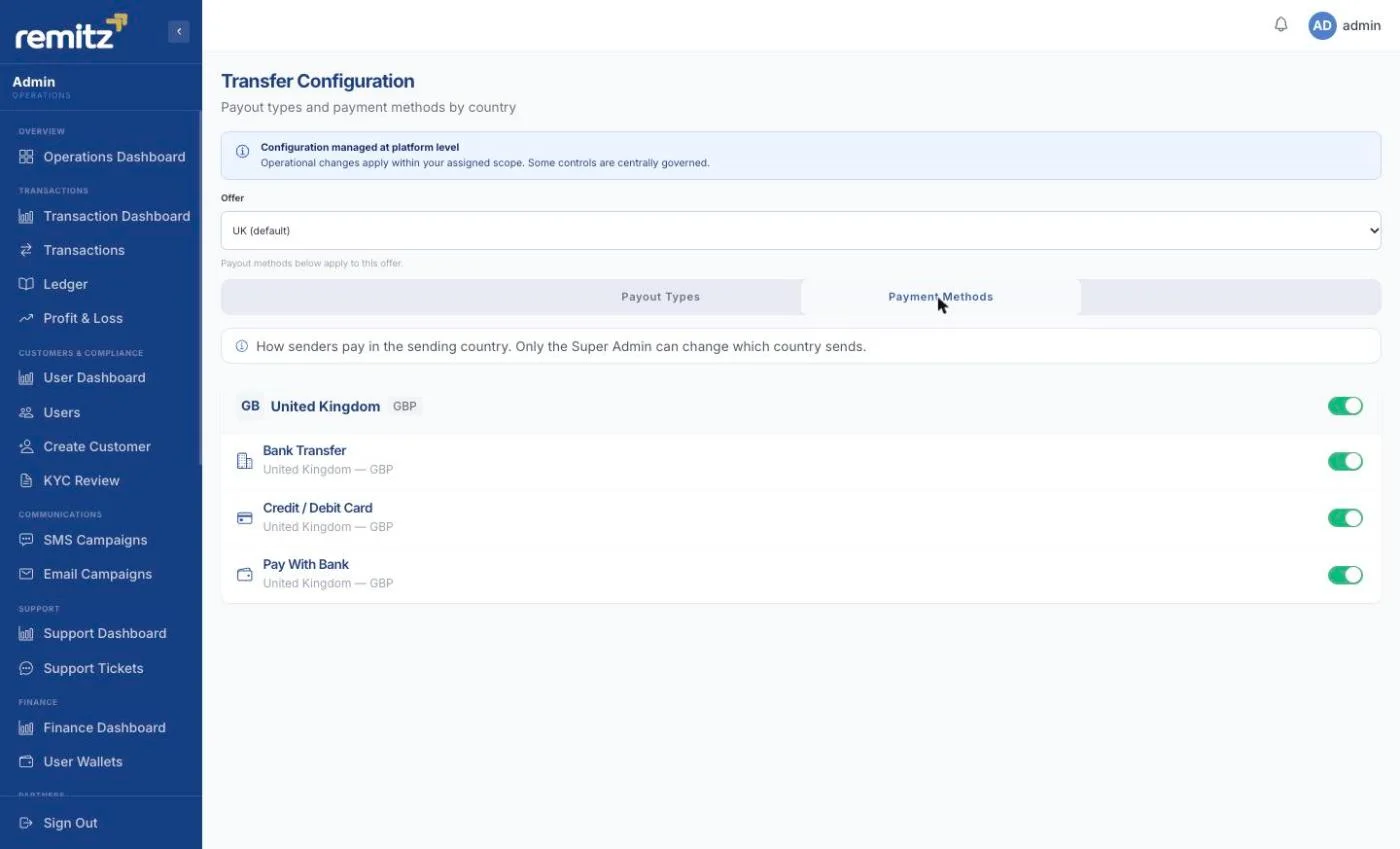
Turn payment methods on and off by country
The example shows payment-method configuration by sending market. Your provider services and regulatory arrangement determine which methods you can enable.
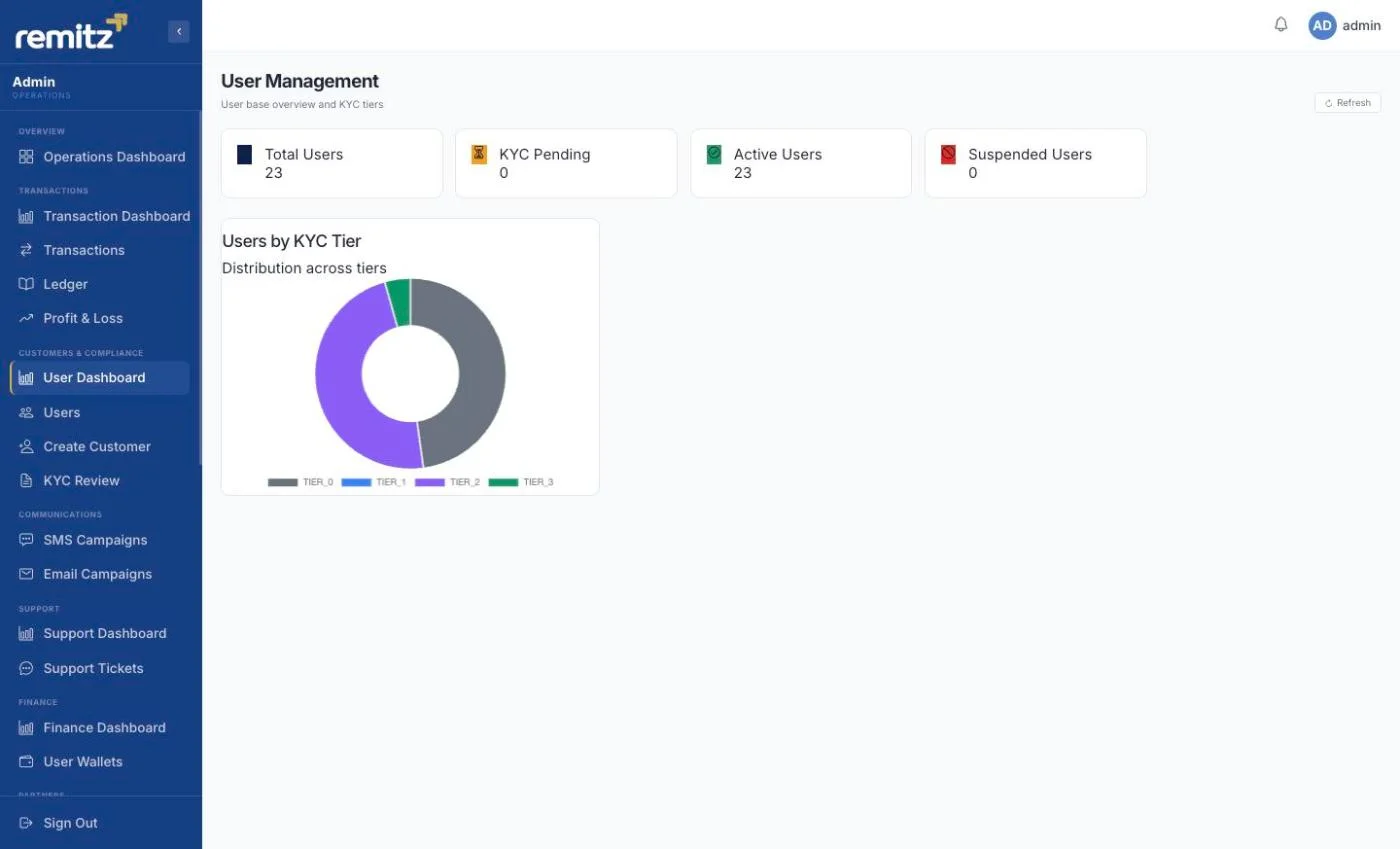
See your KYC position at a glance
Review customer verification states and pending work. Confirm tier rules, report exports and evidence needed by your compliance team; a screen alone is not a regulatory submission.
Agree the branding and workflows for your platform
These are captures from the demo environment. Agree branding across the web, app and staff channels included in your implementation. Screenshots are not a promise that every shown module is included in every plan.
Your licence, providers and customer relationships remain yours.
Trust badges and sample data visible in these screenshots are not evidence of Remitz regulatory approval, certification or customer results. Any badges used on your platform must be supported by your own verified arrangements. Remitz supplies software and does not hold customer funds. See how a launch works.